
 Technology: Microsoft Foundry
Manufacturing: Field maintenance copilot with Microsoft Foundry
A machine builder surfaces manuals and ticket history through a grounded agent in Teams, so technicians find the right fix faster on the shop floor.
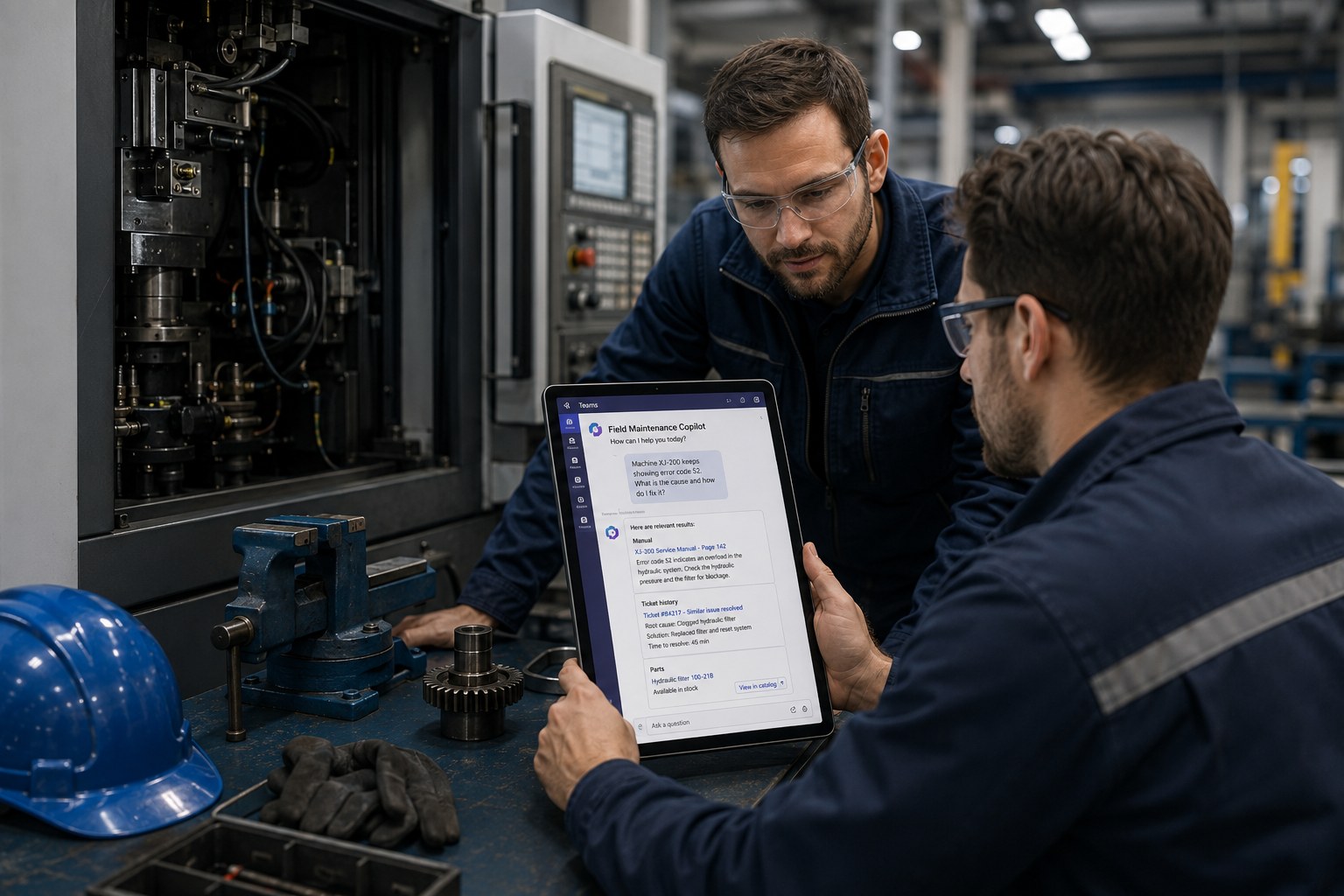
Business challenge
Technicians at a machine builder searched scattered manuals and a separate ticket history during breakdowns, with no central place where both came together. Knowledge about previously resolved, similar breakdowns stayed fragmented with individual colleagues instead of being reusable for the whole team.
Architecture
An agent on Foundry Agent Service combines grounding on manuals through Azure AI Search with access to ticket history, and a Functions tool surfaces the parts catalog for looking up replacement parts. The agent is published in Teams, so technicians on the shop floor can ask a question directly through their familiar channel instead of opening a separate application. Serverless capacity fits the variable volume of breakdown reports, with caching for frequently asked questions about standard failures.
Why this choice
Consulting manuals and ticket history separately costs time exactly when a machine is down. By surfacing both sources through a single grounded agent, with citations to the exact manual page or prior ticket, knowledge that previously sat with one person becomes directly available to the whole team.
Alternatives
A searchable document library without an agent layer was simpler to build, but still left the technician to connect the dots between manual and ticket history themselves. A fully human knowledge-transfer process, through internal training for example, helped in the longer term but did not solve the problem during an active breakdown.
Trade-offs
- Publishing in Teams lowers the barrier to use, but requires agent governance to be set up just as seriously as for a standalone application.
- Serverless capacity fits variable volume, but gives less guaranteed latency than Provisioned deployment during simultaneous breakdowns across locations.
- Access to confidential technical drawings via labels requires careful alignment with existing classification, otherwise too much or too little becomes visible.
Microsoft products
Microsoft Foundry (Foundry Agent Service, Functions tool), Azure AI Search (grounding on manuals and tickets), Microsoft Teams (publication channel), Microsoft Entra ID (Entra Agent ID).
Best practices
- Surface manuals and ticket history through the same agent instead of separate search systems, so the technician does not have to switch themselves.
- Give the agent least-privilege access and labels on confidential drawings, so sensitive technical information is not exposed more broadly than intended.
- Measure usage and quality through evaluations before wide rollout to multiple locations, not only after the first complaints.
Lessons learned
During the first rollout, part of the older manuals turned out to be available only as scanned PDFs, which reduced chunking quality for those documents compared to digitally born manuals. A separate processing step for scanned documents significantly improved retrieval quality for that part of the library.
Architecture at a glance
Click a component for details
Manuals
Grounding on manuals via Azure AI Search, with source citation.
One agent surfaces manuals, ticket history and parts catalog, directly from Teams on the shop floor.
Related content
Related how-tos
Related best practices