
TechExplainedTechExplained
|
Best PracticeLevel: Advanced

Unity Catalog governance best practices

What keeps governance on Databricks sustainable in production: permission inheritance, managed tables, system tables and saying goodbye to the Hive metastore.

TechExplained 2 min readPublished: 10 August 2026Last updated: 10 August 2026
#unity catalog#governance#security#lineage#databricks
01

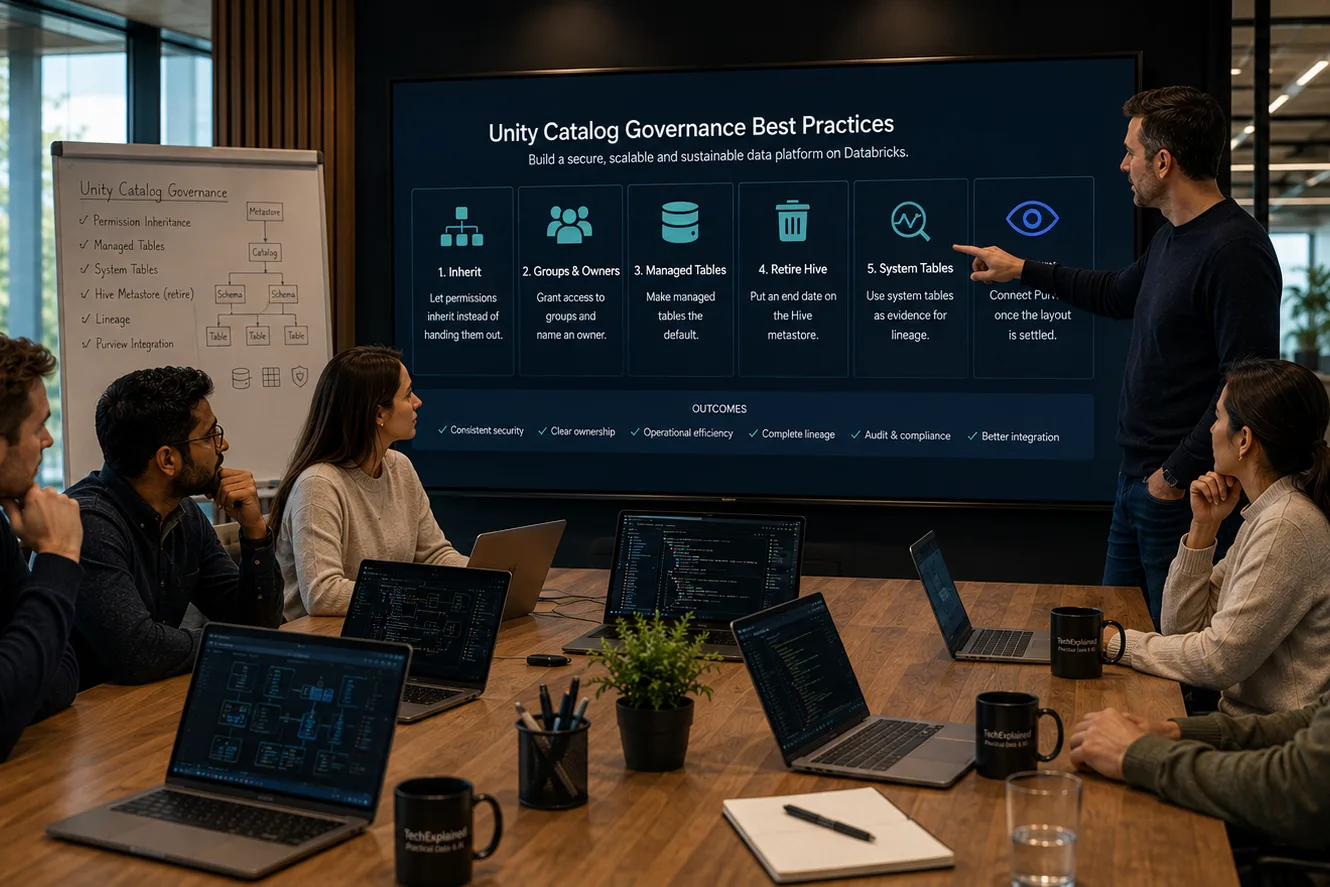
Let permissions inherit instead of handing them out

Unity Catalog works with a hierarchy: the metastore at the top, and below it the three-level namespace catalog.schema.table. Permissions you grant high up carry through to everything below. That is not a detail but the entire design: if you arrange access at catalog level, a new table is automatically secured correctly the moment it comes into existence.

The anti-pattern is granting per table because it feels fastest at that moment. Six months later nobody can explain why somebody has access to something, and cleaning up is riskier than leaving it alone.

02

Grant access to groups and name an owner

Permissions granted to people are permissions that stay in place when that person moves team. Work with security groups, and record who owns each catalog. The owner is the one who can hand out permissions, so without a named owner every request lands on the platform team.

03

Make managed tables the default

Databricks recommends managed tables for most new tables, because the platform then manages the lifecycle, the file layout and the optimization. You get maintenance you would otherwise have to schedule yourself.

External tables remain necessary in three situations: data that already sits somewhere, data reached by path from tools outside Databricks, and formats managed tables do not support. Foreign tables are read-only references through Lakehouse Federation. Choose deliberately, because the type determines who does the maintenance.

04

Put an end date on the Hive metastore

The legacy Hive metastore appears in the namespace as the hive_metastore catalog. Everything in it falls outside your Unity Catalog permission model and outside your lineage. Because it works, it stays.

Treat this as debt with a repayment schedule: an end date and a counter on the number of tables still left. Workspaces created after 9 November 2023 were automatically enabled for Unity Catalog by Databricks, older ones were not, so verify rather than assume.

05

Use the system tables as evidence

Lineage sits in system.access.table_lineage and system.access.column_lineage. That is not only where Purview reads it from, it is also where you can read it from. When somebody asks which reports lean on a table before you change it, that is a query and not an estimate.

Arrange read access explicitly for the account that scans or reports: SELECT on both tables, plus USE CATALOG on system and USE SCHEMA on system.access.

06

Connect Purview once the layout is settled and not before

Purview reflects what is in Unity Catalog and does not improve it. A scan of a messy layout produces a messy Data Map. Set up your catalogs first, then do the connection. See How to connect Azure Databricks to Microsoft Purview.

The process at a glance

Click a step for its key decision

Summary

Let permissions inherit instead of handing them out

Unity Catalog works with a hierarchy: the metastore at the top, and below it the three-level namespace catalog.schema.table. Permissions you grant high up carry through to everything below. That is not a detail but the entire design: if you arrange access at catalog level, a new table is automatically secured correctly the moment it comes into existence.

Production Readiness Checklist

Before you go live, verify these production recommendations.

  • One metastore per region, with workspaces attached to it
  • Permissions at catalog or schema level, not per table
  • Access through security groups rather than per person
  • An owner named for every catalog
  • Managed tables as the default, external with a reason
  • hive_metastore has an end date and a counter
  • Lineage verified through the system tables
Unity Catalog governance best practices | TechExplained