
TechExplainedTechExplained
|
Best PracticeLevel: Advanced

Best practices for securing AI workloads and agents

Eleven choices for AI and agents: applying Zero Trust, governed grounding, prompts as data, agent identity with least privilege, and a release gate on preview.

TechExplained 4 min readPublished: 6 August 2026Last updated: 6 August 2026
#ai security#agents#zero trust#prompt injection#rag#governance#security
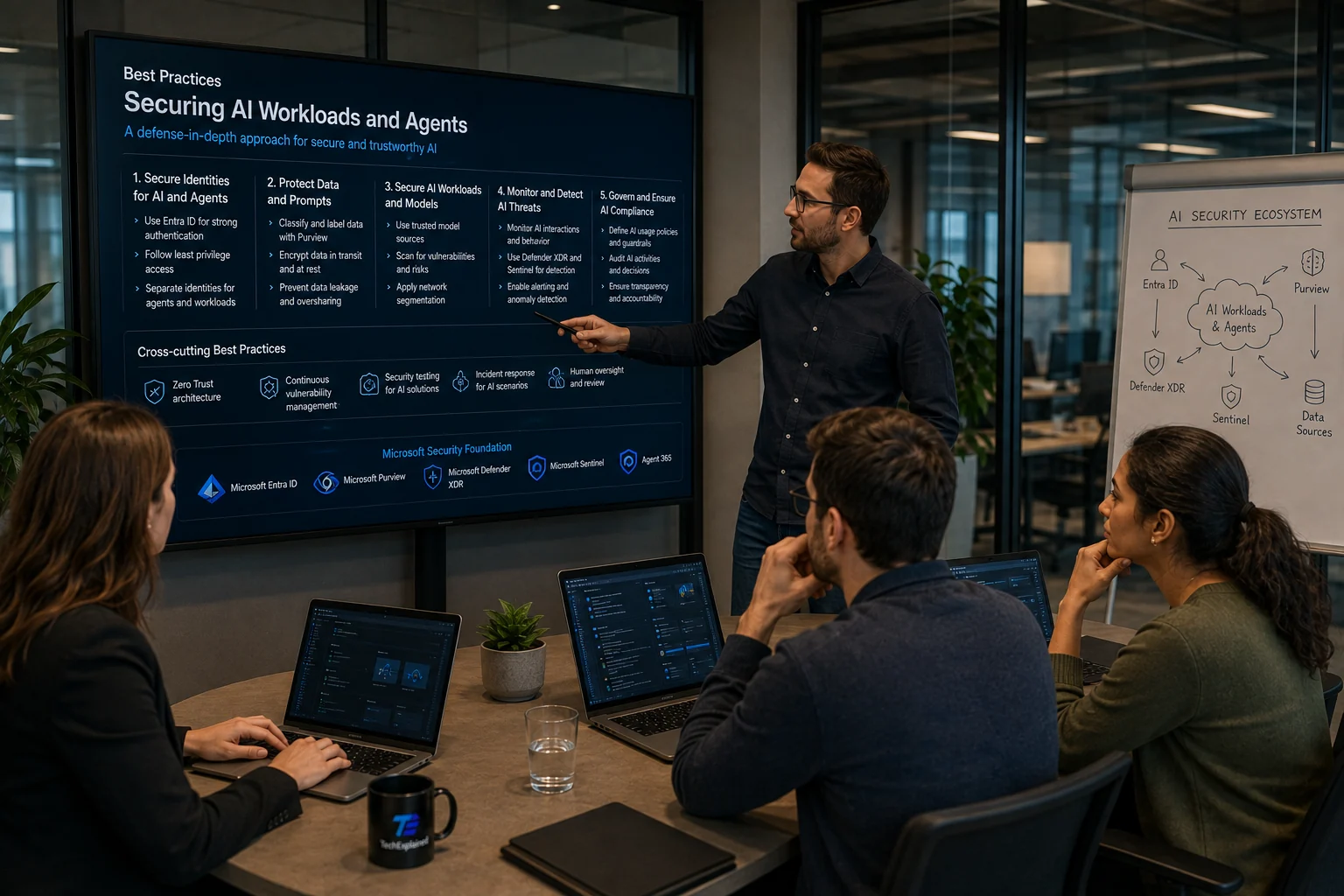
Architect pointing at a wall screen with best practices for securing AI workloads and agents: five columns from identity to compliance, a row of cross-cutting measures, and at the bottom the Microsoft security foundation with Entra ID, Purview, Defender XDR, Sentinel and Agent 365; on the right a flip chart showing the AI security ecosystem
01

Apply Zero Trust to AI, not only to people

Verify explicitly, least privilege and assume breach are the same three principles, but they mean something different once a model sits in the chain. Verifying now also covers an agent acting on someone's behalf. Least privilege covers the tools it may call. And assuming breach means this: assume that at some point a model receives an instruction that did not come from you. Anyone applying these three to the human and not to the system has kept the model outside their security model.

02

Map every AI workload before it reaches production

Record per workload who owns it, which data sources it touches, which identities it runs as, which tools it may call, where it logs and who gets called during an incident. AI security posture management does the discovery and assembles an AI bill of materials from it, across Azure OpenAI, Microsoft Foundry and Azure Machine Learning. Without that map every control is a guess about the set it applies to.

03

Classify and label before the rollout, not after

Sensitivity labels and DLP from Microsoft Purview belong in place before Microsoft 365 Copilot or Microsoft Fabric is rolled out broadly. The reason is the order, not the tooling: a label applied afterwards changes nothing about the answers already given. Oversharing is not created by AI, but it is made visible by it, and then at AI speed.

04

Use DSPM to find what you did not know you had

Data security posture management shows where sensitive data lives and where the exposure sits. That is exactly the information you need to decide which sources may supply grounding data. Combine it with lineage across Fabric, Azure Data Factory, Azure Synapse and Databricks where supported, so you know not only what you have but also where it came from.

05

Design RAG on labelled and access-controlled sources

Retrieval augmented generation on an ungoverned data dump is the most common way sensitive data leaks out through grounding. Treat the question of which sources may be used for grounding as an architecture decision with an owner, and keep that list shorter than what is technically possible. Classification, labels, DLP and lineage come before the retrieval layer, not after it.

06

Treat prompts and responses as data

A prompt is user input and a response is system output, and both can contain data that appears nowhere else in your logging. So they fall under the same rules as the rest of your data: audit, retention, eDiscovery and DLP where supported. Capturing without that policy is itself a risk: you create a new collection of personal data with no owner and no retention period.

07

Enable threat protection for AI and know the modality boundary

The runtime detection recognises data leakage, data poisoning, jailbreak and credential theft, and delivers those alerts in the same stream as the rest. Take the boundary into the design with you: according to Microsoft's availability table this covers text tokens, so in a multimodal application image and audio fall outside it. A boundary you write down is a design choice; a boundary you discover is an incident.

08

Enable prompt evidence only once the roles are in order

Including suspicious prompts in the investigation helps the analyst and enlarges your privacy surface at the same time. Do it only after you have worked through the privacy and compliance consequences and restricted the roles allowed to read it. Who may read prompts is a different question from who may read security alerts, and the answer should be a smaller group.

09

Separate model safety from data security and implement both

Model safety is about the artifact: does this model come from a trusted source, was it scanned before it was registered? Data security is about the flow around it. For registered models in Azure Machine Learning you enable AI model security where it is available. Without model scanning an unsafe model simply reaches production, and from then on data security is only guarding the damage.

10

Give agents an identity, a sponsor and least privilege

An agent is not a function but an acting party, so it needs its own identity in Microsoft Entra, a sponsor who is accountable, periodic review and permissions no larger than its task. Agent 365 is the layer that observes, governs and secures enterprise agents. Without a registry, shadow agents proliferate just as fast as shadow SaaS, and an authorised tool can be abused too; that is what runtime detection is for.

11

Protect the channel your assistant reads

Prompt injection is not phishing where a human does something wrong, but an instruction arriving through a channel the model reads and the user does not. Email is the most underestimated channel here: if an assistant reads along, every inbound message is a possible instruction. Defender for Office 365 has detection for that. Also check which AI endpoints are reachable from outside, and put authentication and least privilege there before anything else.

The process at a glance

Click a step for its key decision

Summary

Apply Zero Trust to AI, not only to people

Verify explicitly, least privilege and assume breach are the same three principles, but they mean something different once a model sits in the chain. Verifying now also covers an agent acting on someone's behalf. Least privilege covers the tools it may call. And assuming breach means this: assume that at some point a model receives an instruction that did not come from you. Anyone applying these three to the human and not to the system has kept the model outside their security model.

Production Readiness Checklist

Before you go live, verify these production recommendations.

  • AI bill of materials complete for every workload
  • Labels and DLP in place before the rollout, not after
  • Grounding sources are governed and access-controlled
  • Every agent has an identity, sponsor and least privilege
  • Prompts and responses fall under audit and retention
  • Release state and licence recorded per capability
Best practices for securing AI workloads and agents | TechExplained