
TechExplainedTechExplained
|
Best PracticeLevel: Advanced

Microsoft Defender best practices for a Data & AI platform

Ten choices that decide whether Defender really covers your Data & AI platform: CSPM broadly, plans on risk, logging up front, and the line where Purview and Sentinel take over.

TechExplained 4 min readPublished: 6 August 2026Last updated: 6 August 2026
#defender#security#threat protection#cspm#compliance
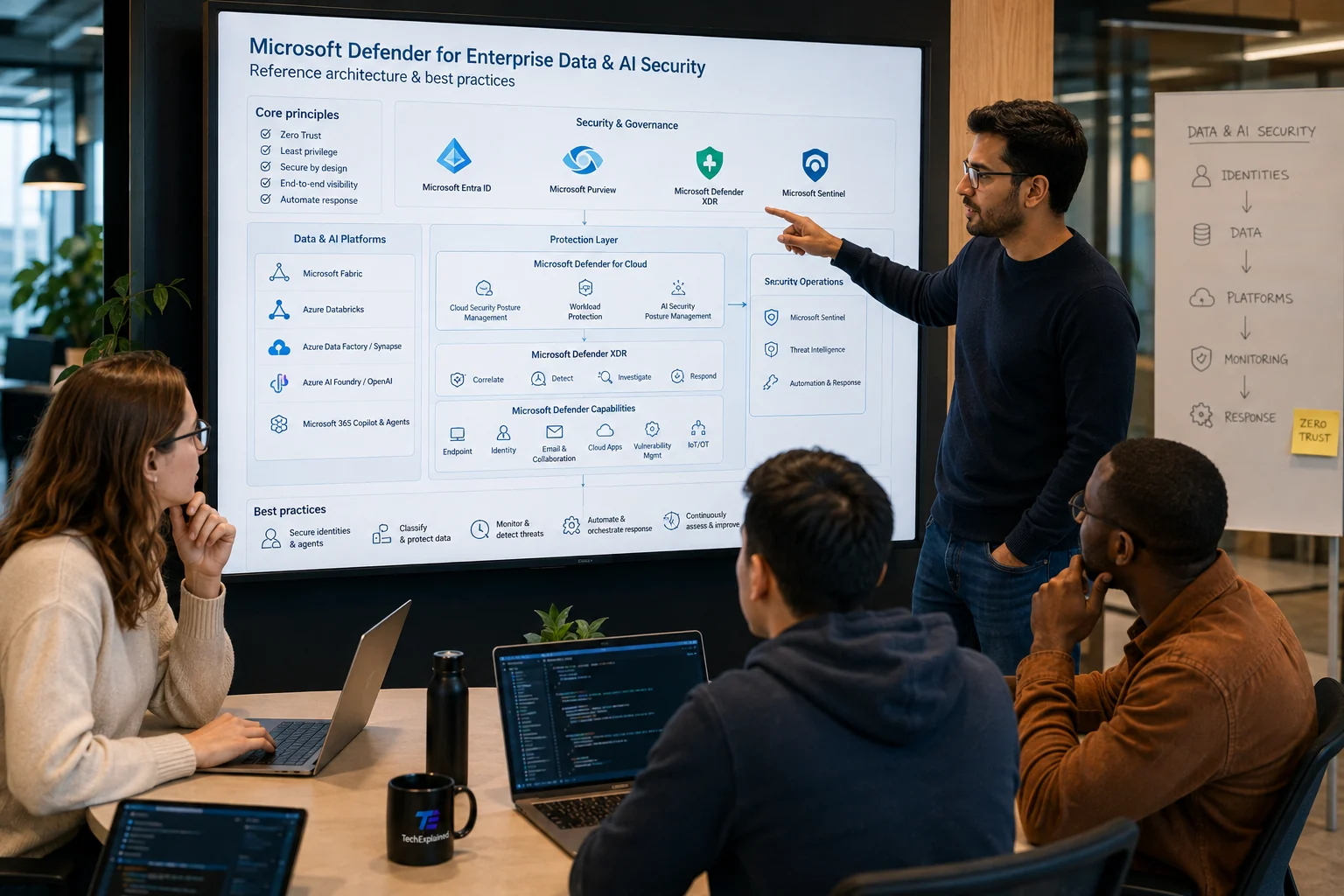
An architect points at a wall screen showing the Microsoft Defender reference architecture: core principles on the left, Entra, Purview, Defender XDR and Sentinel across the top, the protection layer in the middle and the best practices along the bottom; three colleagues follow along from the meeting table
01

Enable posture broadly and pay only where the risk is

Foundational CSPM costs you no plan and belongs on every subscription, development and test included. That is exactly where the attack path nobody watches runs, because everyone assumes there is nothing of value there. Defender CSPM goes on top wherever you need attack paths, data posture and AI posture. You choose the paid workload plans afterwards, per service, on risk.

02

Let risk and attack paths set the order

Secure score is a fine thermometer and a poor backlog: it does not know which system stops your business. Use risk prioritization and attack path analysis to decide what comes first, and the score to see whether you are making progress. A team steering on the score alone closes ten easy findings and leaves open the one chain that actually matters.

03

Choose a plan per service, and know where there is none

Defender for workloads is not one switch but a set of plans: Storage, Azure SQL, Cosmos DB, Containers, Servers, Key Vault and App Service. Each plan covers a different gap and each one costs money, so the question per service is which risk you are buying. More important is the reverse question: where is there no plan? Azure Databricks has none, and the Azure security baseline says so in as many words.

04

Cover Databricks with the surrounding controls

Because there is no Defender plan, Databricks is precisely the service where a wrong assumption is most dangerous. You build coverage there from policy and compliance monitoring through Defender for Cloud, logging, Microsoft Entra, private networking, Key Vault, Unity Catalog, scanning by Microsoft Purview and third-party vulnerability tooling where needed. Write that list down as the coverage for Databricks, so nobody later thinks something was forgotten.

05

Enable logging before you enable a plan

An alert with no investigation material is an alert you cannot close. For App Service that means diagnostic logging on before the plan goes on, not after. The same rule applies more broadly. The order logging, then detection, then response is not a formality; the other way round leaves your analyst empty-handed at the first incident.

06

Scan your landing zone for malware

A data lake without malware scanning is a fine staging area for whatever gets read out later, and that risk grows the moment the same zone also carries AI grounding data. Defender for Storage does malware scanning and sensitive data threat detection. Also follow through on the recommendations about public access: storage that is open and carries sensitive data is the combination most incidents come from.

07

Enable database threat protection on SQL and Cosmos DB

SQL injection, brute force and anomalous access patterns are exactly the things you do not see in application logging, because they look like ordinary queries. Defender for Azure SQL adds vulnerability assessment to that; Defender for Azure Cosmos DB detects injection variants, known bad actors, compromised identities and exfiltration. Both are cheap compared with the question you otherwise cannot answer afterwards.

08

Prioritise vulnerabilities on critical assets and track remediation

A list of vulnerabilities with no workflow around it turns into an archive. Defender Vulnerability Management prioritises on the assets that actually matter and tracks remediation, so a finding gets an owner and an end date. Do not measure how many findings there are but how long they stay open; the first number says something about your scanner, the second about your organisation.

09

Discover your SaaS and your OAuth apps

Shadow SaaS and over-permitted OAuth apps are the quiet side of a Data & AI platform: data leaves your environment through a connection nobody approved. Defender for Cloud Apps does that discovery, plus SaaS security posture management, app governance and DLP integration. This is the part most often skipped, because it does not start in the Azure portal.

10

Connect compliance to Purview and the rest to Sentinel

The compliance dashboard in Defender for Cloud lands in Microsoft Purview Compliance Manager, so cloud posture and organisation-wide compliance become one picture instead of two reports. The investigation path runs the other way: Defender XDR correlates alerts into incidents, and Microsoft Sentinel joins as soon as an attack path runs through a non-Microsoft source or your retention has to exceed what XDR offers by default. Without that connection your SOC triages loose alerts and never sees the story.

The process at a glance

Click a step for its key decision

Summary

Enable posture broadly and pay only where the risk is

Foundational CSPM costs you no plan and belongs on every subscription, development and test included. That is exactly where the attack path nobody watches runs, because everyone assumes there is nothing of value there. Defender CSPM goes on top wherever you need attack paths, data posture and AI posture. You choose the paid workload plans afterwards, per service, on risk.

Production Readiness Checklist

Before you go live, verify these production recommendations.

  • CSPM on across every subscription, including dev and test
  • Workload plans chosen on risk, not on completeness
  • Diagnostic logging on before the plan went on
  • Risk and attack paths used alongside secure score
  • Databricks covered with the surrounding controls
  • XDR and Sentinel connected, with an owner per signal
Microsoft Defender best practices for a Data & AI platform | TechExplained