
TechExplainedTechExplained
|
Best PracticeLevel: Intermediate

FinOps for a Microsoft Data and AI platform

Cost is a design requirement, not an afterthought. How to set up visibility, ownership and optimisation across Fabric, Foundry, Copilot and Purview.

TechExplained 3 min readPublished: 4 August 2026Last updated: 4 August 2026
#finops#cost management#governance#capacity
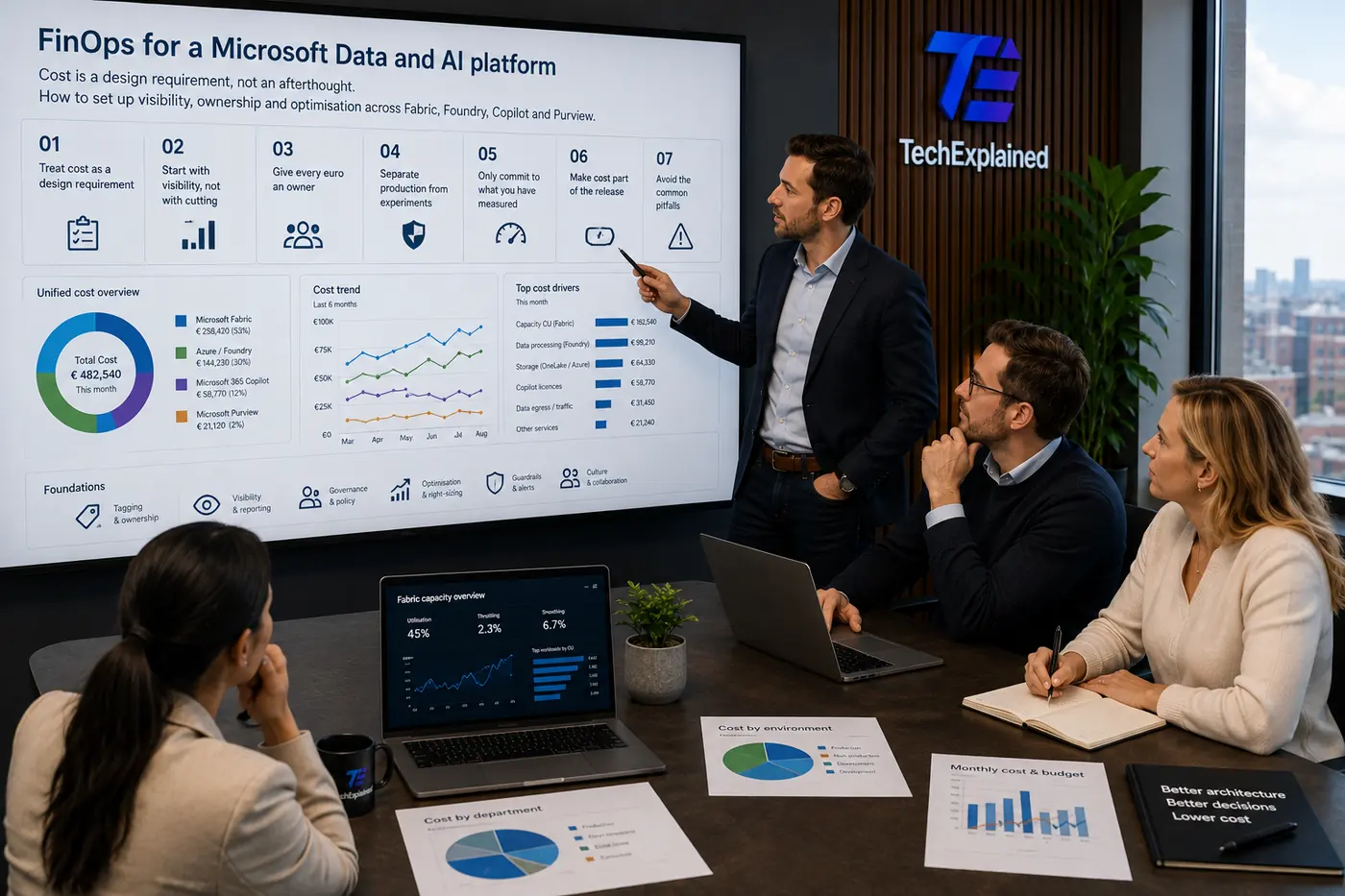
Architect presents FinOps for a Microsoft Data and AI platform to the team, with cost overview per product and cost trend on the screen
01

Treat cost as a design requirement

An architecture that is technically right but blows up the budget gets reversed. That is not a finance problem but an architecture problem: the choice between a Warehouse and a Lakehouse, between a large model and a small one, between real time and every fifteen minutes, drives the monthly bill more than any procurement negotiation ever will. So put the cost consequence in the same document as your other non-functional requirements, next to latency and availability.

The practical test: for every architecture decision in your design, can you say what it costs per month at the expected volume? If not, it is not a design but an intention.

02

Start with visibility, not with cutting

Optimising without measuring is guessing. Three sources cover almost the entire Microsoft Data and AI landscape:

  • Microsoft Cost Management for everything that sits on an Azure subscription, including Foundry consumption and storage.
  • The Fabric Capacity Metrics app for what happens inside a capacity, down to item level and per operation.
  • Licence reporting in the Microsoft 365 admin centre for Copilot, where cost runs per assigned user rather than per unit of consumption.

Those three use different units (euros, capacity units, seats) and that is exactly why they are so often looked at separately. Bring them together in one view with a shared time axis before you touch anything.

03

Give every euro an owner

Cost without an owner never goes down. A tagging strategy is the cheapest intervention available: decide which tags are mandatory (cost centre, application, environment, owner), enforce them with Azure Policy and refuse resources without them. Do this later and you get to label thousands of existing resources by hand.

In Fabric the same question runs through workspaces and capacities. A workspace is the unit you assign, so if three departments work in the same workspace, any allocation is by definition an estimate.

04

Separate production from experiments

A shared capacity means one heavy notebook experiment can slow down executive reporting. Two capacities at minimum (production and everything else) is the cheapest insurance there is, and the non-production capacity can be paused outside working hours.

The same separation applies to AI workloads. A test environment running on the same deployment as production makes it impossible to see whether a spike in token consumption comes from a customer or from a colleague trying out prompts.

05

Only commit to what you have measured

Reservations and savings plans do save real money, but they also lock you in. The order that works: run pay-as-you-go for a month or two, then commit the stable part of your consumption and keep the peak variable. Do it the other way round and you buy capacity for an architecture you no longer dare to change.

For Fabric this is sharper still: a reservation sits on a capacity and that capacity belongs to a region. Move your platform later and the discount does not move with it.

06

Make cost part of the release

Most cost outliers appear on a change, not during normal use: a refresh that goes from daily to hourly, a model that gets scaled up "to see whether it gets better", a pipeline that accidentally does a full load. So put two things in your process:

  1. A budget alert per environment with a threshold low enough to notice within a day that something changed.
  2. A short cost paragraph in the review description of every change that touches capacity, model choice or frequency.
07

Pitfalls

  • Optimising at the wrong layer. Compute usually costs more than storage, but compute is driven by how often and how coarsely you read. Fix the data model before you start turning capacity dials.
  • Frugality that costs time. An hour of architect time costs more than most micro-optimisations return. Always sort by absolute amount.
  • Chargeback without a conversation. An allocation that arrives as an invoice while nobody knows the model produces argument instead of behaviour.
  • Only looking at the bill. A falling bill next to rising wait times is not a saving but a shift onto the user.

The process at a glance

Click a step for its key decision

Summary

Treat cost as a design requirement

An architecture that is technically right but blows up the budget gets reversed. That is not a finance problem but an architecture problem: the choice between a Warehouse and a Lakehouse, between a large model and a small one, between real time and every fifteen minutes, drives the monthly bill more than any procurement negotiation ever will. So put the cost consequence in the same document as your other non-functional requirements, next to latency and availability.

FinOps for a Microsoft Data and AI platform | TechExplained