
|
Best PracticeLevel: Intermediate

Fabric ALM and CI/CD: from clicking to Git-driven rollout

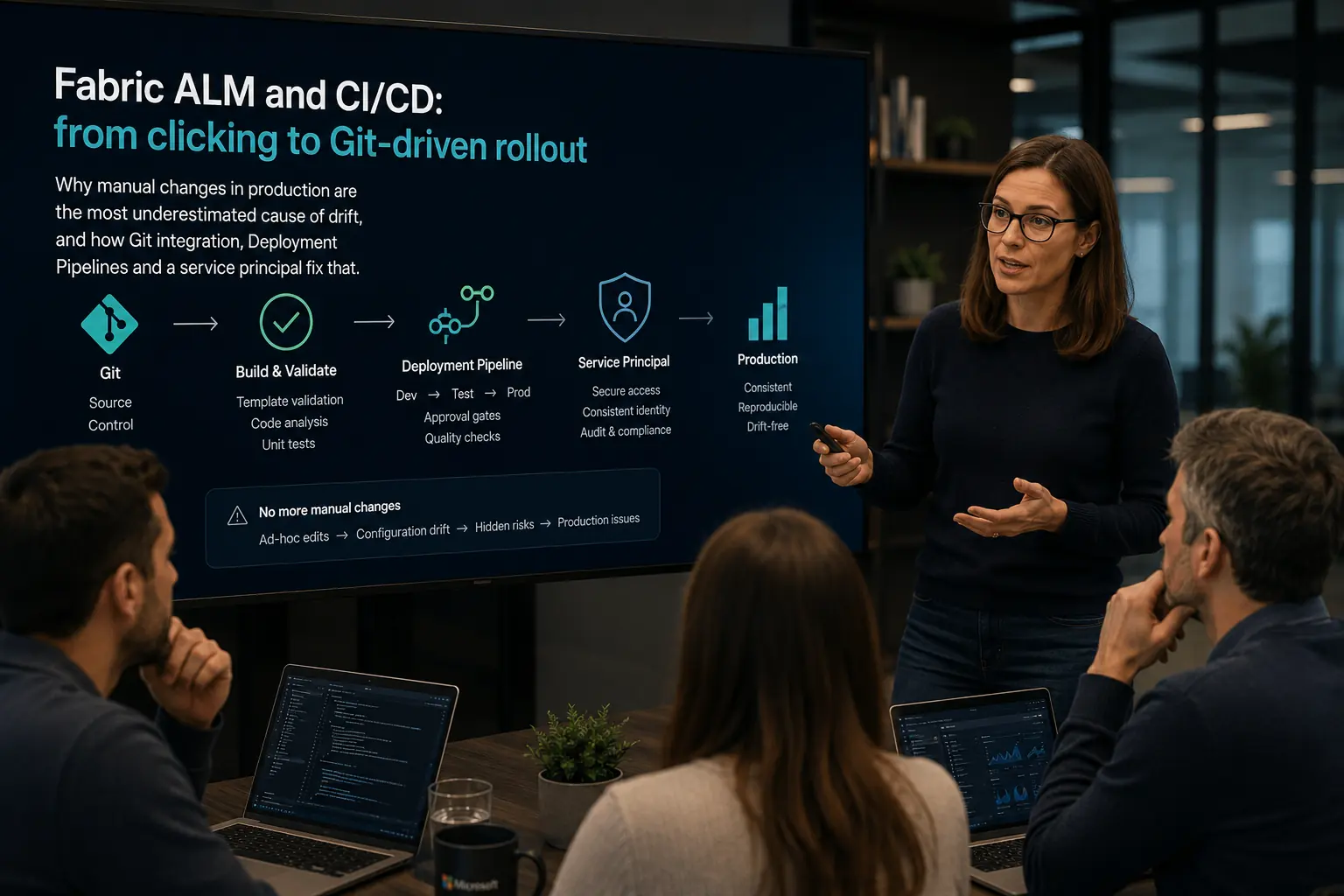
Why manual changes in production are the most underestimated cause of drift, and how Git integration, Deployment Pipelines and a service principal fix that.

TechExplained 2 min readPublished: 26 July 2026Last updated: 26 July 2026
#alm#ci/cd#governance#git
Architect walking a team through Fabric ALM and CI/CD, from clicking to Git-driven rollout, on screen.
01

Treat every change as code, not as a click

The most underestimated cause of problems in a Fabric platform is not performance, it is drift. Without CI/CD, dev, test and production slowly diverge because someone "quickly" clicks a change into production without review or rollback. Connect every workspace to Git (Azure DevOps or GitHub); items are then serialized to the repository and every change becomes a commit with history instead of an invisible click.

02

Separate ML promotion from BI promotion

ML models and notebooks do not fit neatly into the same promotion model as semantic models and reports. A model follows its own lifecycle: experiment, validate, promote to production, possibly roll back if a new version underperforms. Do not force models into the same Deployment Pipeline as BI items. Instead, use an MLflow registry with explicit promotion to a "production" stage, so BI promotion and ML promotion can move independently of each other.

03

Automate with a service principal, not a personal account

Automated deployments should run under a Microsoft Entra service principal with the least-necessary role, not under an architect's personal account or a shared service account with a password. That avoids a single point of failure if someone leaves the company, and it makes it auditable which change was executed by which automation. Start with a limited role and expand where needed; do not start broad "to just get it working", because applying least privilege retroactively to existing automation costs more time than getting it right from day one.

04

Structure environments with Deployment Pipelines

Deployment Pipelines promote content from dev to test to production with deployment rules: settings that differ per environment, such as connection strings, stay separate from the rest of the configuration. That prevents the classic mistake where a test connection string accidentally ends up in production. Combine this with naming conventions for workspaces and items from day one, not after the fact; a municipality that set this up too late saw three different spellings for the same department appear within a month.

05

The most common mistake: no CI/CD

Manual clicking in production without review or rollback is the most common mistake in Fabric platforms, and the most expensive to fix after the fact: every manual change is a potential deviation that only surfaces once test and production visibly behave differently. The fix is not complicated, it just gets postponed until "the platform is bigger". Set up CI/CD from the first workspace, not the tenth.

The process at a glance

Click a step for its key decision

Summary

Treat every change as code, not as a click

The most underestimated cause of problems in a Fabric platform is not performance, it is drift. Without CI/CD, dev, test and production slowly diverge because someone "quickly" clicks a change into production without review or rollback. Connect every workspace to Git (Azure DevOps or GitHub); items are then serialized to the repository and every change becomes a commit with history instead of an invisible click.

Production Readiness Checklist

Before you go live, verify these production recommendations.

  • Workspace connected to Git (Azure DevOps or GitHub)
  • Deployment Pipelines set up for dev, test and prod
  • Deployment rules defined for environment-specific settings
  • Service principal with least-necessary role for automation
  • ML promotion through the MLflow registry, separate from BI promotion
  • No direct changes in production without a pull request
Fabric ALM and CI/CD: from clicking to Git-driven rollout