
 Technology: Microsoft 365 Copilot
Finance: speeding up analysis and reporting with Microsoft 365 Copilot
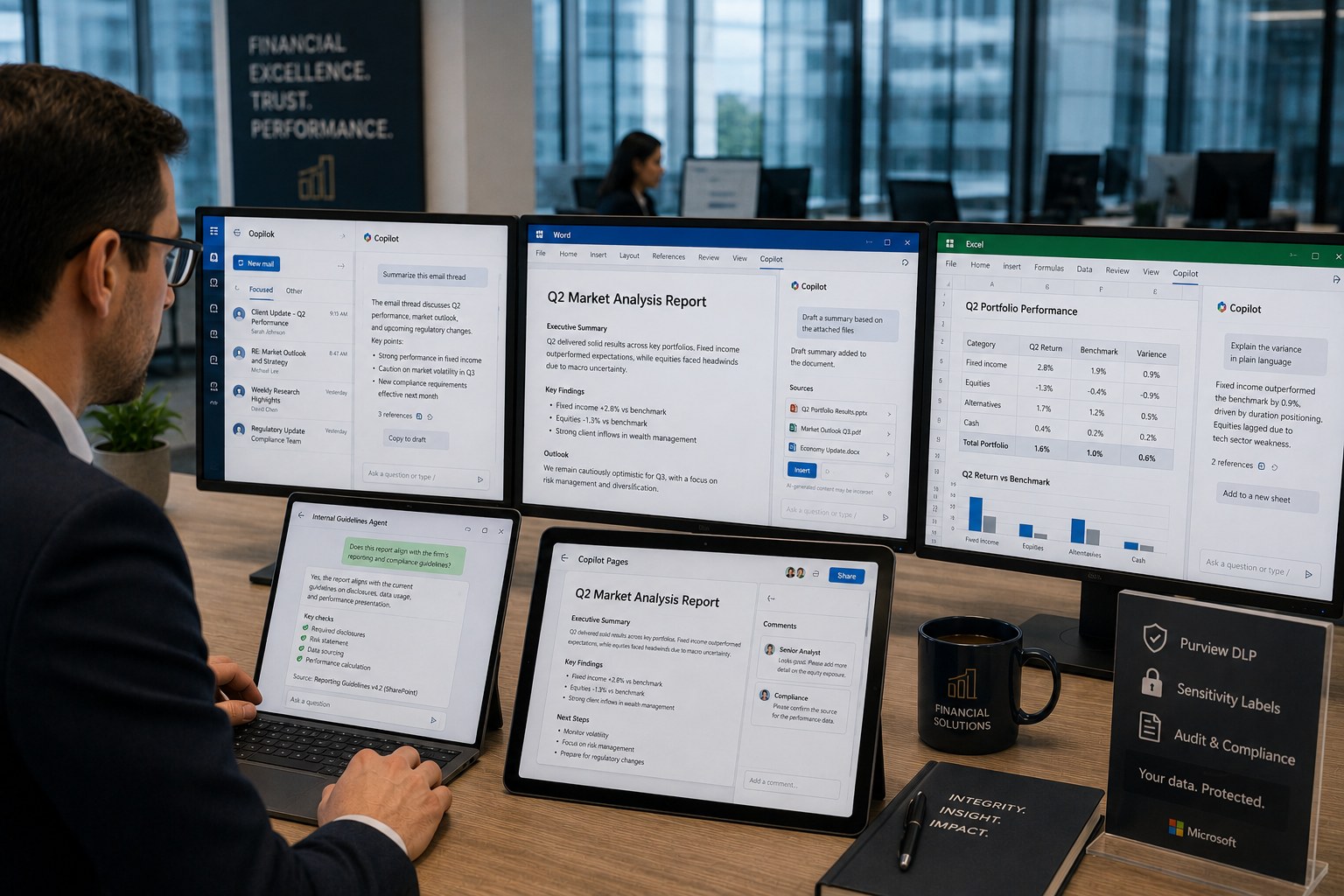
A financial services firm uses Copilot in Outlook, Word and Excel to summarize files and draft reports, with an agent on internal guidelines and DLP on financial data.
Business challenge
Analysts at a financial services firm spent a large share of their time summarizing files and emails and drafting reports, work that required little analytical insight but consumed many billable hours. Reports also had to align with internal guidelines that were not always top of mind for the person drafting them.
Architecture
Copilot in Outlook, Word and Excel summarizes files and email threads and drafts report copy, grounded in content the analyst already has access to. An agent on internal guidelines, fed through a Microsoft 365 Copilot connector, checks whether a draft aligns with current policy. Copilot Pages captures the final report as a shareable canvas for review by a senior analyst. Purview DLP and sensitivity labels ensure financial data stays within policy, and every answer comes with citations to the source documents.
Why this choice
The organization wanted to save time on the summarizing, repetitive part of the work, without giving up the traceability required in a regulated sector. Because every Copilot answer cites its source, a report stays traceable, something a generic AI chat tool without grounding does not offer.
Alternatives
A standalone summarization tool without Microsoft Graph grounding could shorten text, but had no access to the underlying files and emails and so no citations to the source. For reports that must be demonstrably traceable to the underlying data, that fell short.
Trade-offs
- Copilot speeds up drafting, but senior review remains necessary; it does not replace substantive checking.
- The agent on internal guidelines is only as current as the underlying policy document; an outdated guideline gives outdated advice.
- DLP policy on financial data can slow legitimate reuse within the team if configured too generically.
Microsoft products
Microsoft 365 Copilot (Outlook, Word, Excel), Copilot Pages, Microsoft 365 Copilot connectors, Microsoft Purview (DLP, sensitivity labels).
Best practices
- Roll out Copilot first to the analyst teams with the biggest time savings, not organization-wide at once.
- Assign an owner to the internal-guidelines agent who keeps the policy document current.
- Use Copilot Pages for review instead of emailing separate documents back and forth.
Lessons learned
The biggest time gain came not from generating text but from summarizing long email threads ahead of a report, work that used to be the most time-consuming and least valuable part of the process. Analysts who ignored citations and forwarded drafts unread posed the biggest risk; mandatory review steps in Copilot Pages fixed that.
Architecture at a glance
Click a component for details
Copilot in Outlook / Word / Excel
Summarizes files and email threads, grounded in accessible content.
Every answer cites its source, so a report stays traceable in a regulated sector.
Related content
Related how-tos
Related best practices