
 Technology: Microsoft 365 Copilot
Manufacturing: shop floor and engineering support with Microsoft 365 Copilot
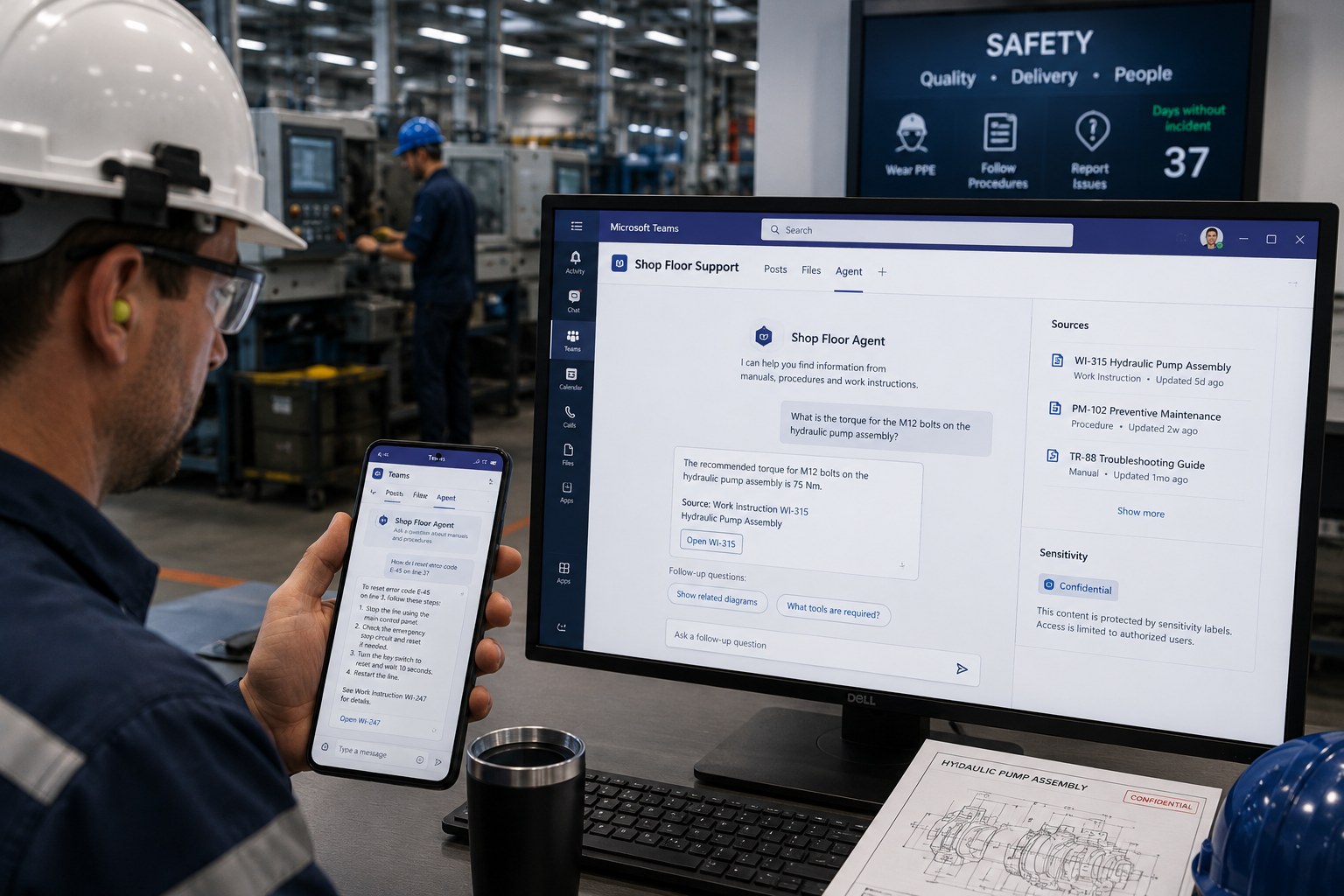
A manufacturer surfaces scattered manuals and procedures with a shop-floor agent in Teams, while protecting engineering drawings with sensitivity labels.
Business challenge
Engineering knowledge and work instructions at a manufacturer sat scattered across manuals, procedures and loose documents on multiple systems. Operators on the shop floor lost time searching for the right instruction, and the same question about a fault or procedure kept landing with the same handful of experienced colleagues.
Architecture
An agent on manuals and procedures, fed through a Microsoft 365 Copilot connector on the documentation systems, answers questions directly in Teams, where operators already work. Copilot in Teams makes the agent accessible without a new app or login. Engineering drawings and process documentation carry sensitivity labels, so confidential IP stays protected even when the agent references it.
Why this choice
The organization did not want to introduce a new system next to the existing shop-floor tools: Teams was already the primary communication channel on the floor. Placing the agent there lowered the barrier to nearly zero, unlike a separate knowledge base operators would have had to actively seek out.
Alternatives
A searchable document database on the intranet exposed the same content, but required operators to know where to search and which terms to use. For shop-floor staff who need a quick answer between machines, that bar was too high.
Trade-offs
- The agent is only as good as the underlying documentation; conflicting versions of a procedure produce confusing answers.
- Sensitivity labels on drawings can slow legitimate access for the organization's own engineers if the label structure is too coarse.
- Copilot in Teams requires basic digital literacy; not every operator was equally comfortable with it, which called for targeted training.
Microsoft products
Microsoft 365 Copilot (Teams), Microsoft 365 Copilot connectors, declarative agents, Microsoft Purview (sensitivity labels).
Best practices
- Consolidate conflicting document versions before connecting the agent to them, not afterward.
- Place the agent in the channel where staff already work, instead of introducing a new destination.
- Label engineering IP based on actual sensitivity, not by default at the strictest level.
Lessons learned
The biggest acceleration came for faults that used to be resolved only by a handful of experienced colleagues: that knowledge became accessible to everyone through the agent, visibly easing the pressure on those specific people. The first version of the documentation contained several conflicting procedures for the same machine; cleaning that up proved just as valuable as the agent itself.
Architecture at a glance
Click a component for details
Operator on the shop floor
Asks a question about a fault or procedure in Teams.
The agent lives in Teams, where operators already work, instead of introducing a new destination.
Related content
Related how-tos
Related best practices