
 Technology: Microsoft 365 Copilot
Technology: an internal knowledge agent with Microsoft 365 Copilot
A consultancy builds an agent on past projects, methods and templates, so consultants find reusable knowledge faster and new hires ramp up sooner.
Business challenge
Consultants at an advisory firm kept searching from scratch for past projects, methods and templates that already existed somewhere in the organization. New hires took weeks to discover which approach worked for which type of client, and experienced consultants repeated work already done elsewhere, simply because they could not find it.
Architecture
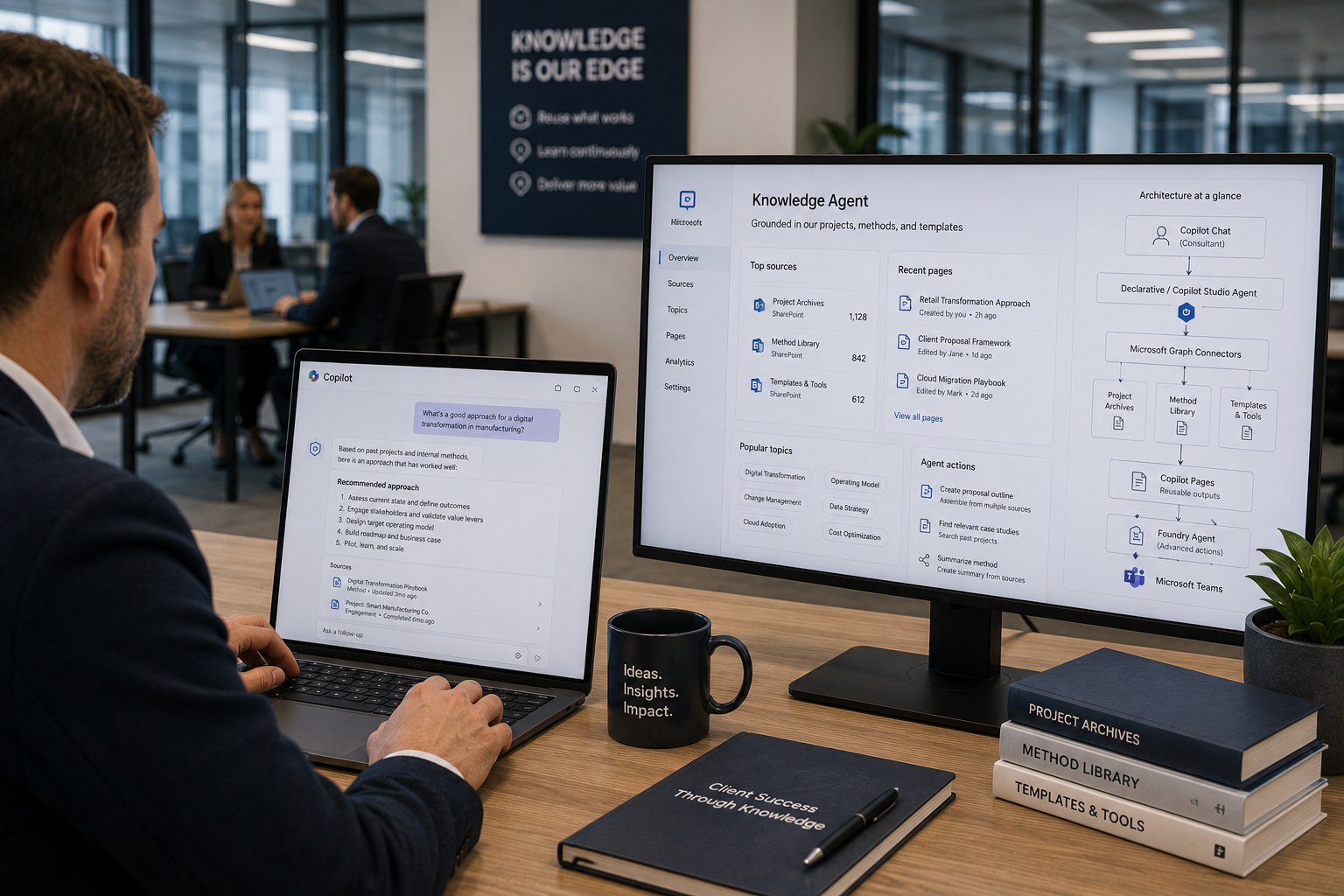
A declarative agent, later extended into a Copilot Studio agent for more customization, exposes the internal knowledge base through Microsoft 365 Copilot connectors on project archives and method documentation. Consultants ask a question in Copilot Chat and get an answer grounded in past projects, with citations to the source material. Reusable output, such as an assembled approach for a new proposal, gets captured in Copilot Pages so colleagues can reuse and extend it later. For more complex actions, such as automatically assembling a project proposal from multiple sources, a Foundry agent publishes to Teams.
Why this choice
The organization wanted to start with a simple, declarative agent on existing content, and only expand to Copilot Studio or Foundry once demand genuinely called for customization or more complex actions. That phased approach avoided immediately building a heavy, pro-code solution for a problem that grounding on existing content had already mostly solved.
Alternatives
A central wiki with manually maintained pages partially solved findability, but goes stale quickly without dedicated ownership and lacks the conversational layer that lets consultants ask a specific question instead of reading through an entire page.
Trade-offs
- A declarative agent is simple to set up but offers less customization than Copilot Studio for more complex interactions.
- A Foundry agent for advanced actions requires more development capacity than the rest of the solution.
- Knowledge from old, closed projects can be outdated; without periodic curation, the agent cites an outdated approach just as readily as a current one.
Microsoft products
Microsoft 365 Copilot (Copilot Chat, Pages), Copilot Studio, Microsoft 365 Copilot connectors, Microsoft Foundry (for more complex agent actions), Microsoft Teams.
Best practices
- Start with a declarative agent on existing content before investing in Copilot Studio or Foundry.
- Assign ownership over which projects and methods fall within the grounding scope.
- Capture reusable output in Copilot Pages instead of in loose chat history that gets lost.
Lessons learned
The biggest acceleration showed up for new consultants: onboarding that used to take weeks visibly shortened once they could ask questions to the whole firm's knowledge instead of depending on whoever happened to be available. Without periodic cleanup of the project archive, the agent eventually started citing outdated approaches just as confidently as current ones, which called for a fixed curation cadence.
Architecture at a glance
Click a component for details
Consultant in Copilot Chat
Asks a question about past projects and methods.
Start with a declarative agent on existing content; expand to Copilot Studio or Foundry only once demand calls for it.
Related content
Related how-tos
Related best practices