
 Technology: Microsoft Purview
Technology: safe Copilot rollout with Purview DSPM
A software vendor rolls out Microsoft 365 Copilot and uses Purview DSPM to gain visibility and policy over which sensitive data flows through AI prompts and responses.
Business challenge
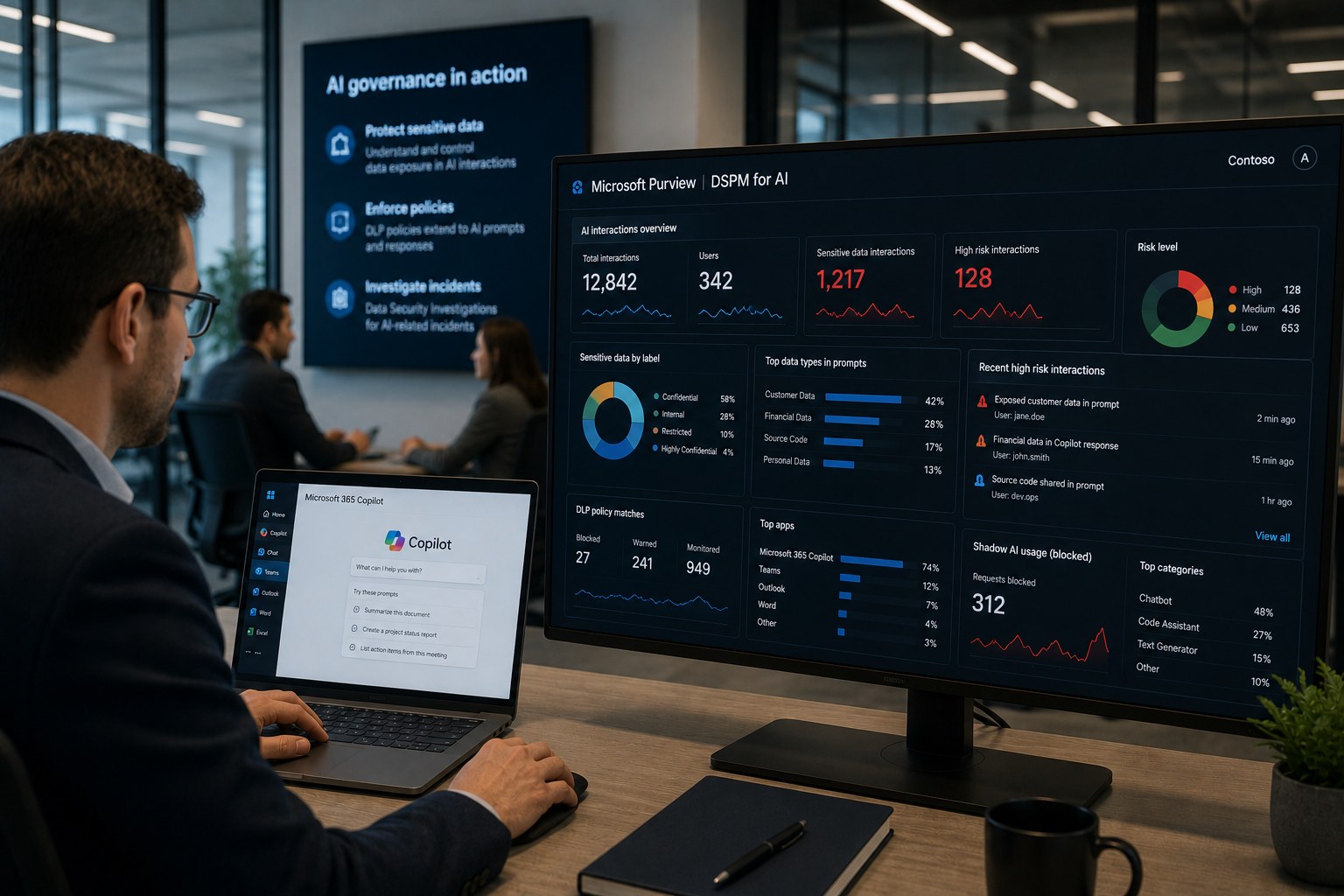
A software vendor rolled out Microsoft 365 Copilot to hundreds of employees, but had no visibility into which sensitive customer data circulated through prompts and AI responses. Separately, teams had long been using loose, unapproved AI tools, shadow AI that stayed entirely off security's radar.
Architecture
Purview DSPM gives insight into AI interactions within Copilot and connected applications: which sensitive data gets retrieved, what ends up in prompts, and which users and apps are involved. Watch the naming here: the standalone experience previously called DSPM for AI now appears in the Purview portal as "DSPM for AI (classic)". The current version lives under Solutions > DSPM and bundles AI and classic data sources into one solution, with AI observability for AI apps and agents. Those insights build on the same classification and sensitivity labels as the rest of the Information Protection policy, so a label that protects a document also counts toward the AI risk picture. DLP policy extends to AI interactions, and Data Security Investigations supports investigation when an incident combines sensitive data and AI use.
Why this choice
The organization did not want to delay Copilot with a lengthy upfront program, but also did not want to roll out blind. Purview DSPM gave visibility without blocking the rollout: risks became visible while adoption continued, instead of waiting months first for a fully built-out governance program.
Alternatives
Blocking Copilot entirely until governance was fully in place solved the risk but cost the organization the competitive advantage of early AI adoption. Rolling out Copilot with zero visibility into AI interactions only made the shadow AI problem worse, just inside an approved tool this time.
Trade-offs
- Purview DSPM covers Copilot and connected Microsoft applications well, but gives less visibility into AI use in third-party tools.
- Visibility into AI interactions raises privacy questions among employees; transparent communication about what is and is not logged is necessary.
- Full coverage requires that underlying classification and labels are already in place; without that foundation, Purview DSPM gives an incomplete picture.
Microsoft products
Microsoft Purview (Purview DSPM, Information Protection, Data Loss Prevention, Data Security Investigations), Microsoft 365 Copilot.
Best practices
- Turn on Purview DSPM before and during the Copilot rollout, not only afterward in reaction to an incident.
- Treat shadow AI as a governance question, not just a blocking question: understand why teams reached for unapproved tools.
- Tie AI risk signals to existing DLP and label policy instead of standing up a separate AI policy.
Lessons learned
The biggest risk turned out not to be malicious use but unintentional exposure: employees routinely pasted customer data into prompts without realizing this counted as data processing under policy. Targeted awareness based on Purview DSPM signals reduced that behavior faster than a technical block alone.
Architecture at a glance
Click a component for details
Copilot prompts
Employees use Copilot and connected applications.
Risks became visible while Copilot adoption continued, instead of waiting months for full governance first.
Related content
Related how-tos
Related best practices