
Lakehouse on Azure Databricks
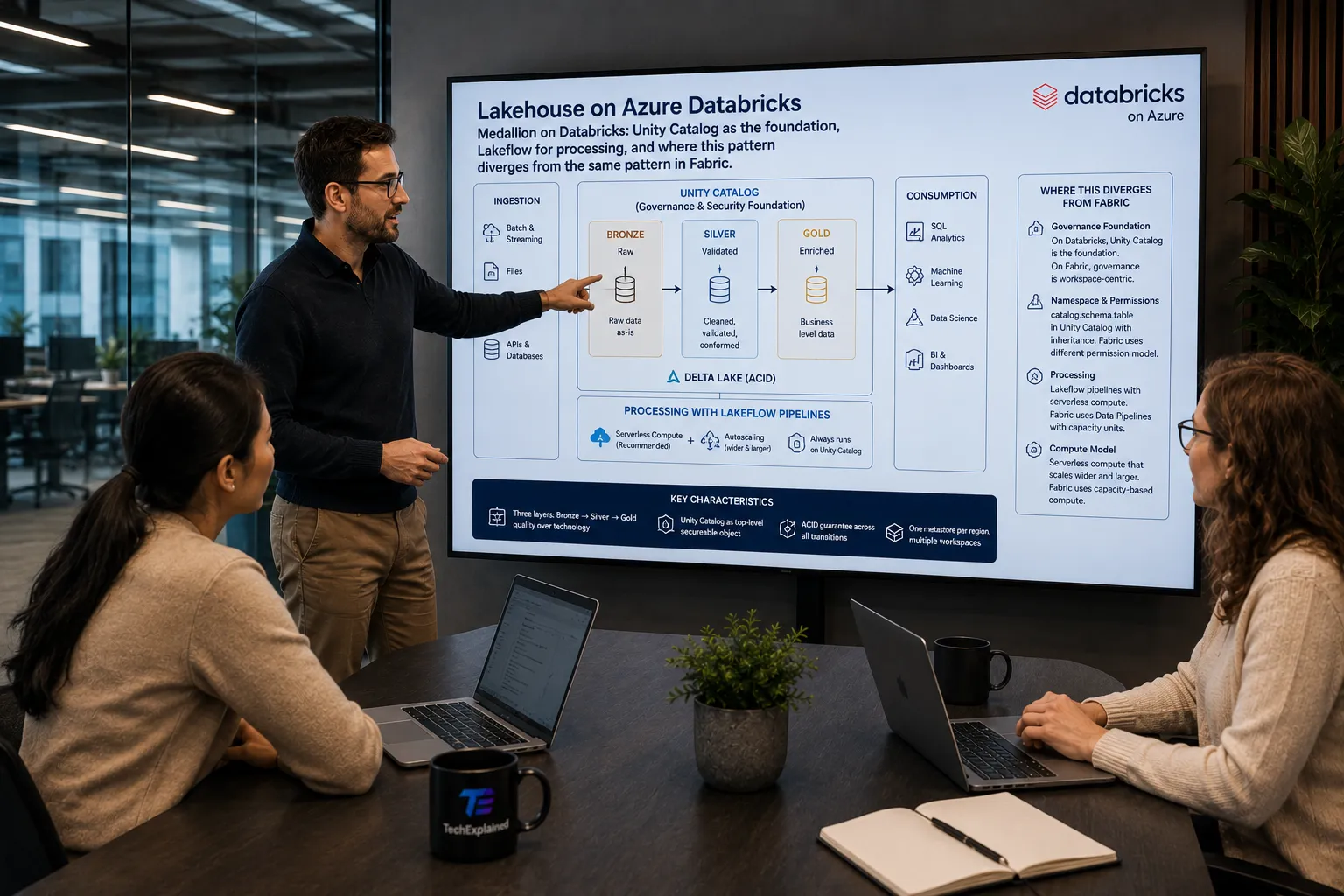
Medallion on Databricks: Unity Catalog as the foundation, Lakeflow for processing, and where this pattern diverges from the same pattern in Fabric.
Architecture
Click a step for details
Overview
Data flows through three layers that describe the quality of the data rather than the technology: bronze is raw, silver is validated and gold is enriched. Microsoft describes this on Databricks as the recommended layered approach towards a single source of truth, and the guarantee the layers give you together is ACID: every transition is atomic, consistent, isolated and durable.
What makes this pattern different on Databricks from the same picture elsewhere is
that governance does not hang off the workspace but off Unity Catalog. Your tables
live in a three-level namespace, catalog.schema.table, with the metastore as the
top-level securable object above it. Permissions granted on a catalog are inherited
by the schemas and tables below. So the medallion layers are not folders but
catalogs or schemas with real permissions.
Processing is done with Lakeflow pipelines. Databricks recommends serverless compute for these: no cluster configuration, and autoscaling that scales both wider (more executors) and larger (heavier executors). Serverless pipelines always run on Unity Catalog, so governance and lineage are built in instead of something you have to add.
When to use this
- Spark workloads at real volume. you process semi-structured or heavy sources where you want control over the engine, and you have the people who can exercise it.
- Governance across multiple workspaces. one metastore per region serves multiple workspaces, so permissions and lineage live in one place instead of being redone per workspace.
- Mixed use of the same tables. data engineering, SQL analysis and ML read the same Delta tables, with different compute per user group on top.
Trade-offs
Serverless/classic
serverless takes the cluster decision out of your hands and starts immediately, classic gives you control over instance types and networking. Serverless SQL warehouses run in the Databricks account, classic and pro run in yours; that difference affects your network design.
Managed/external tables
managed tables are the recommendation for new tables, because Databricks then handles optimization and cleanup. External tables exist for data that already sits somewhere, for path-based access from outside Databricks and for formats managed tables do not support.
Photon
Photon speeds things up but also increases the DBU count. That is a performance versus cost decision per workload, not a switch you flip everywhere.